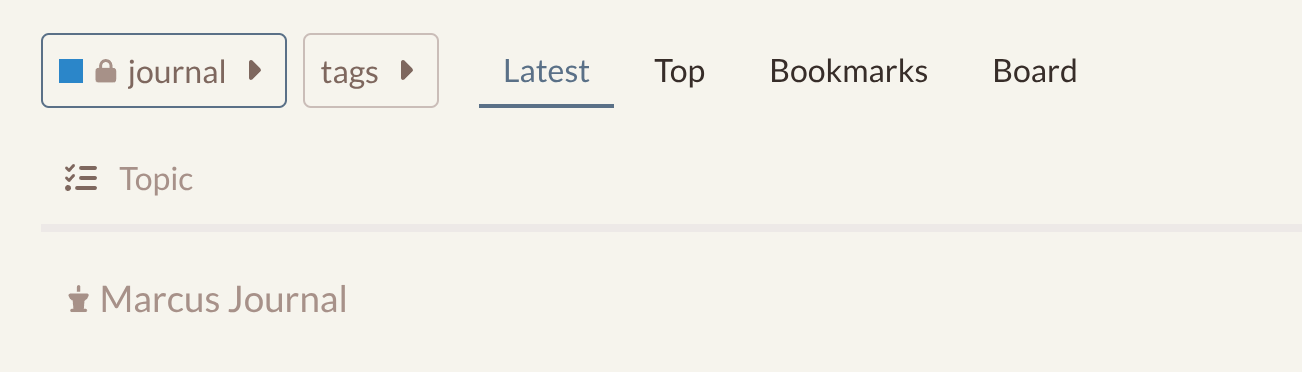
I have a personal Discourse instance which I use for multiple purposes, I recently talked about some tips and tricks for using Discourse as a Personal Notebook. This blog is another instalment in my series of articles describing some more niche uses for Discourse forums.
Using a personal Discourse for daily journaling is really easy to set up, and something I really recommend to try if you have a personal Discourse set up.
Benefits of journaling in Discourse
-
Each of the entries is automatically timestamped so it’s easy to see when you wrote what.
-
Everything you ever write is searchable, this saves so much time if you need to quickly find an entry from way back when.
-
You can use it as a private central ‘nexus’ of your digital life - link out to everything you’ve been doing that day - work, photos, socials, blogs, even specific emails if your email provider creates unique links for each email (Proton: yes, Gmail: no)
Discourse Setup
-
Create a new private Category for your Journal, with security settings so that only you can see it. What, if anything, you need to do for this bit will depend on your Discourse’s existing security/visibility.
-
This Category will contain your Journal Topic. Discourse Topics can have a maximum of 10,000 replies, so a single Topic will last you over 27 years if you are posting once a day!
-
Or you could start a new Journal Topic each year, like buying a new paper diary!
-
Start a new Topic with a “My Journal” kind of title (whatever you want it to be) and add your first journal entry!
-
Each day (or in my case, each day that I remember and have time!) you simply reply to your Journal Topic and add a new entry.
More Advanced Tips and tricks
Customise the Left Sidebar
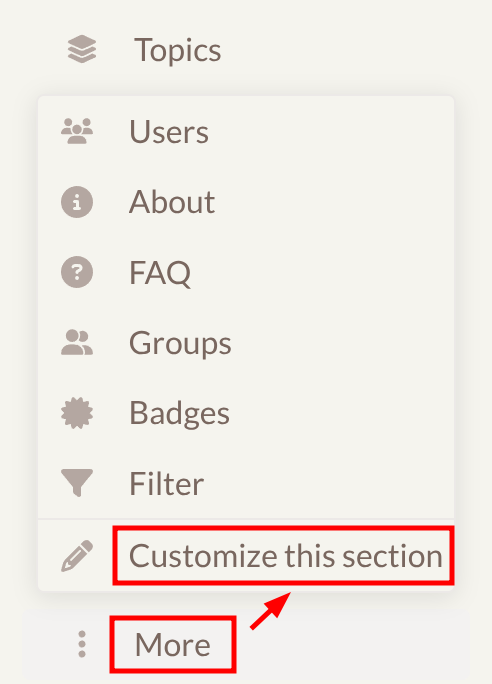
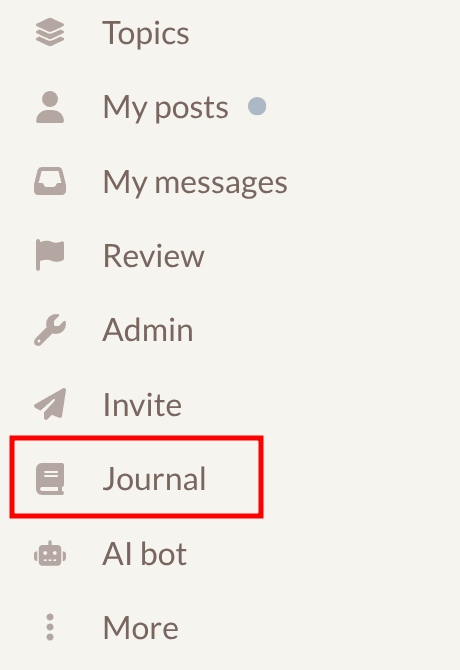
Make your Journal Topic easily accessible in the left sidebar, by clicking ‘More’ and then ‘Customise This Section’.
- In the dialog, click ‘+ Add another link’, and then choose the icon and label you want.
- When you put the topic link in the input box you can discard everything before the
/t/- it only needs to be a relative link. - As a little trick, if you add
/10000on the end, this will link to the 10000th Post in the Topic, which means that it will always take you to the bottom of the last post. So the complete relative URL should look liket/my-journal/1060/10000

If you need to ‘backdate’ a diary entry
If for example you forget to make your entry one day, you can make a retrospective entry. Sadly it’s a bit of a workaround because there’s currently no way to change the timestamp of an individual Post when it’s in situ in a Topic. However, there is a hack for this:
-
Start a brand new Topic, you can call it anything you want as it’s only temporary.
-
Make your new Journal entry
-
Using the Topic Tools you can choose Change Timestamp and select the new time that you want that Post to appear as.
-
Now, again using the Topic Tools, Select the Post, and Move it to ‘Existing Topic’. Select your main Journal Topic. IMPORTANT: You need to choose ‘preserve chronological order after merging’ or it won’t merge it into the the right place.
Future Development
-
Post Timestamp editing - It would be great to have a simpler way to change the timestamp of an individual Post, in-situ. This is possibly something that a small Theme Component might be able to achieve.
-
Post Timestamp display - It would be nice if the full Date (and optionally Time) of each Journal entry showed instead of the ‘elapsed time’ without having to hover over it to see the full Date and Time tooltip. Again, this is probably amenable to a Theme Component.
-
Automation - It would be great to be able to automate some of the generation of the Journal - for example if I post elsewhere in my personal Discourse, like creating notes in my notebook, the posts would be automatically listed in today’s Journal (perhaps as a draft that I can edit)